Reservation history
The reservation drawer includes a History tab. Use it to understand who changed a booking, when the change happened, and what was changed.
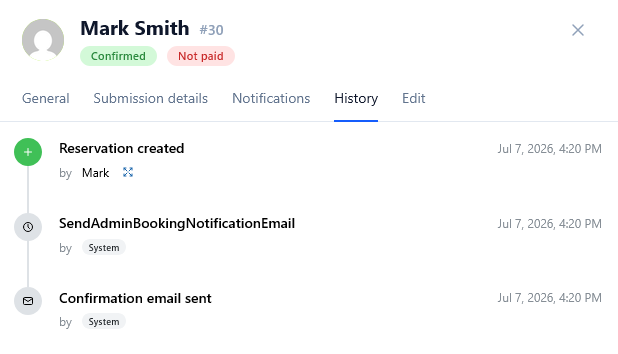
History is especially useful when:
- a customer asks why an appointment moved;
- a payment or approval status changed;
- an administrator edited booking data;
- an API token or automated process updated the reservation;
- support needs to reconstruct the booking timeline.
What history can show
Entries can include:
- event type;
- user, API token, or system actor;
- timestamp;
- previous and new values for supported changes.
Rescheduling is shown as one clear event, even when it also updates provider, calendar, meeting, or notification data behind the scenes.
Important limitation
History is informational. It does not provide an undo button.
warning
Hard-deleting a reservation removes its reservation-specific history. Cancelling a reservation preserves the record and timeline.