Settings holds the options that apply to the whole site: currency, emails, roles, the booking widget, payments, and integrations. The options of a single service, provider, or customer are in their own settings, under Services, Providers, and Customers.
Only administrators, and the WordPress roles allowed to manage the plugin, can open Settings. Use Search settings at the top of the menu to find an option by name.
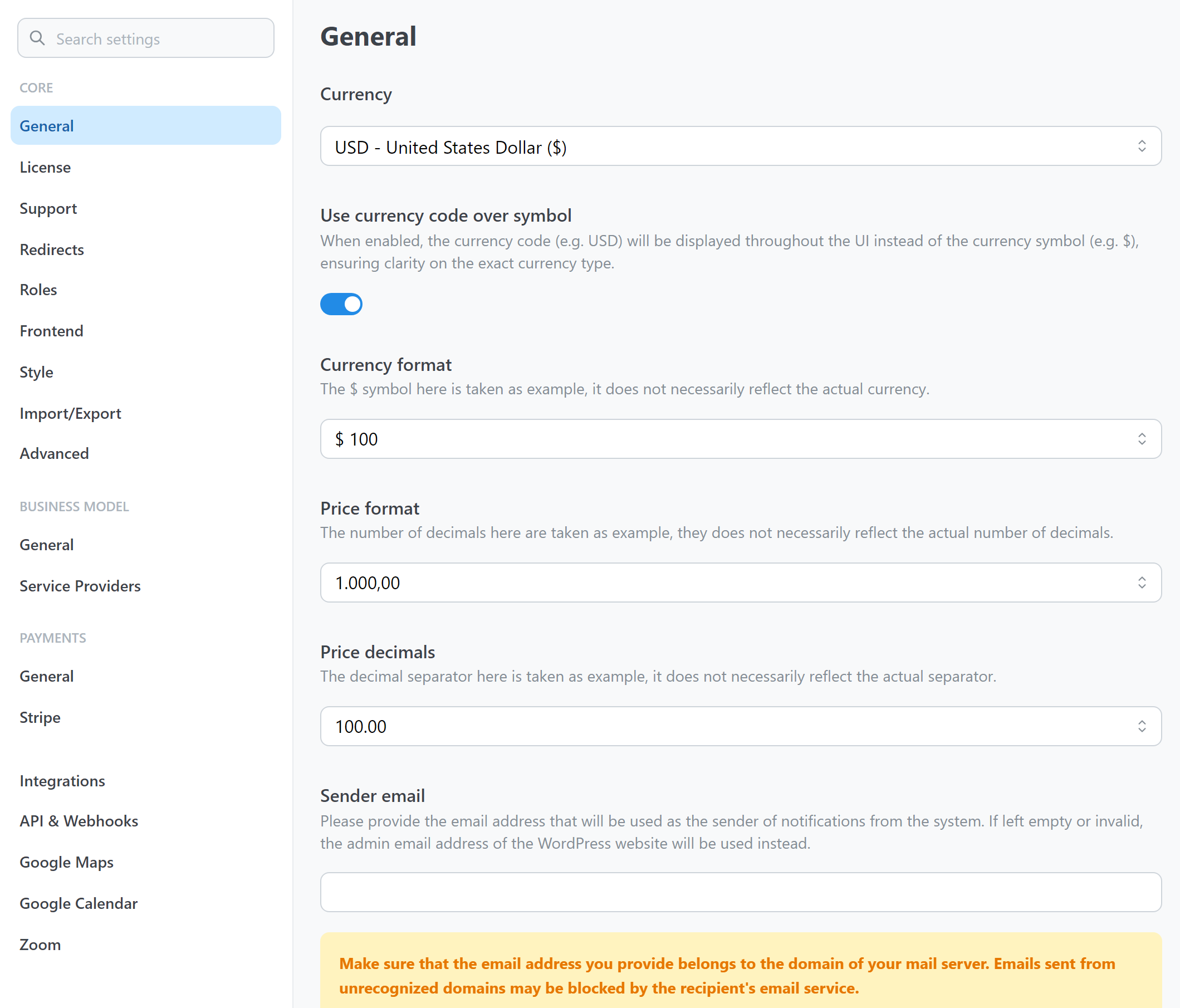
Core
| Group | What it contains |
|---|
| General | Currency, price format, sender email, and the contact details shown to customers. |
| License | The license key of the site. See Install and activate. |
| Support | A form to contact the support team. |
| Redirects | Login and registration pages, and the page where customers manage their bookings. |
| Roles | The WordPress roles that can be providers or manage the plugin. |
| Frontend | Booking flow, timezone, and sorting of the booking widget. |
| Style | A link to the WordPress Customizer, where you style the widget. See Customize the frontend. |
| Import/Export | Move settings and data to another site. |
| Advanced | Caching, and how much availability the widget loads at a time. |
Business Model
| Group | What it contains |
|---|
| General | Phone field mode and translations. |
| Service Providers | Turn providers on, and let them manage their own availability. |
Payments
| Group | What it contains |
|---|
| General | Online payments, pending payment time, and the payment gateways. |
| Stripe, PayPal, Mollie | The keys and options of each gateway. Each appears in the menu when online payments are on and the gateway is enabled. See Enable online payments. |
Integrations and API
| Group | What it contains |
|---|
| Integrations | Turn Google Maps, Google Calendar, and Zoom on or off. See Integrations. |
| API & Webhooks | API tokens and webhooks. See API and webhooks. |
| Google Maps | The API key and the address autocomplete. It appears when the integration is on. See Google Maps. |
| Google Calendar | The connection to Google. It appears when the integration is on. See Google Calendar. |
| Zoom | The connection to Zoom. It appears when the integration is on. See Zoom. |
Settings of services, providers, and customers