Add service providers
By default, TheBooking books everything through a single implicit provider: the administrator. Service Providers is an optional feature, not a required step — enable it only when appointments must be assigned to a specific person, staff member, consultant, room, or bookable resource.
A provider is based on a WordPress user. This keeps login, roles, profile information, and permissions under WordPress control.
Enable providers
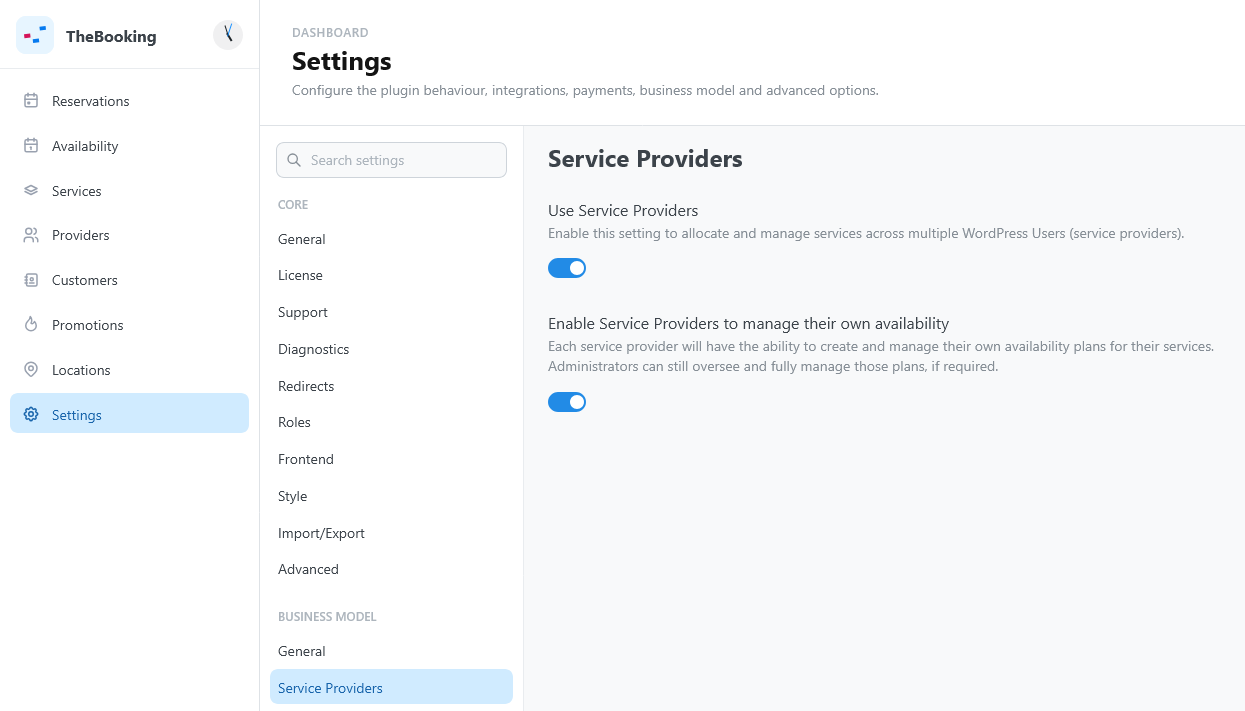
- Open Settings > Business Model > Service Providers.
- Turn on Use Service Providers.
- Optionally, turn on Enable Service Providers to manage their own availability, so providers can create and manage their own availability plans.
- Open Settings > Core > Roles.
- In WP Roles allowed to be Service Providers, select the WordPress roles that can act as providers.
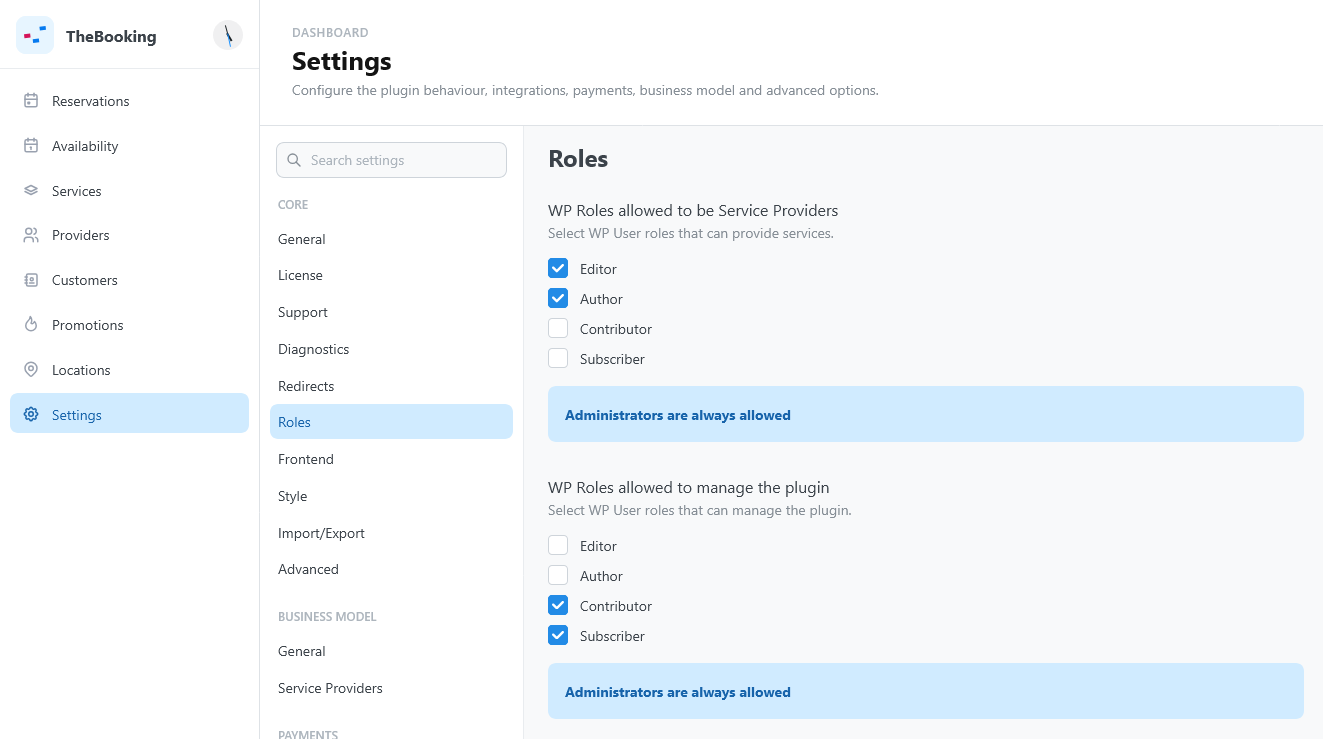
Administrators are always eligible.
Add a provider
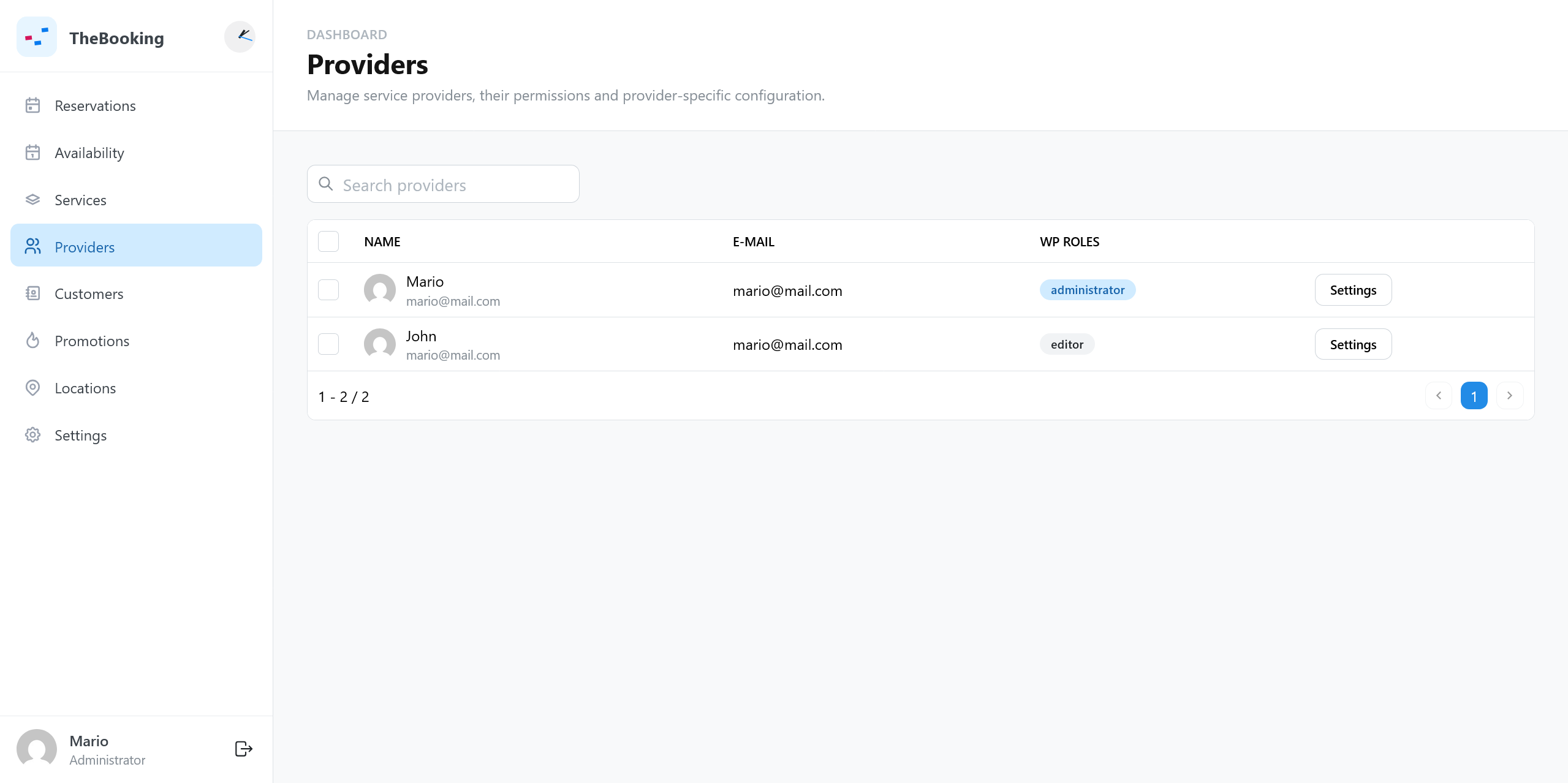
Create or edit a WordPress user with one of the allowed roles: name, email, and avatar come from the WordPress account. Then open Providers, select the provider, and review:
- Timezone, used for the provider's notifications;
- Restrict services, to limit the services the provider offers.
A Google account for the provider is connected and assigned as described in Connect a Google account. Personal service settings are set by the provider in each service.
Decide how customers choose providers
The service controls the customer experience:
- Manual routing: customers choose the provider they want.
- Automatic routing: customers see one team slot and TheBooking selects an eligible provider when the booking is confirmed.
Use manual routing when the provider is part of the customer's decision. Use automatic routing when the appointment itself matters more than the person assigned.
See Create a service and Availability plans.
Learn more
For roles, the provider list, assignment strategies, scoping, and personal settings in full, see the Providers section.