Shortcodes
Use shortcodes when the page builder or theme works better with text snippets than blocks.
Monthly booking calendar
This shortcode shows the customer booking calendar:
[tbk-calendar]
The default view is monthly, so this is equivalent:
[tbk-calendar view="monthly"]
Booking flow
Use flow to choose how customers start a booking from this widget, regardless of the site-wide Booking flow setting:
[tbk-calendar flow="calendar"]
| Value | Flow |
|---|---|
service or service_first | The customer chooses a service, then a date and time. |
calendar or calendar_first | The customer chooses a day from a calendar of availability across services, then a service open on that day. |
Without flow, or with any other value, the widget follows Settings > Core > Frontend > Booking flow. See Booking workflow.
Customer reservations list
Use the reservations view for the My bookings area, where customers review their bookings:
[tbk-calendar view="reservations"]
Show only selected services
Use service IDs when a page should book only specific services:
[tbk-calendar services="s_service_one,s_service_two"]
Show only selected providers
Use provider WordPress user IDs when a page should book only specific providers:
[tbk-calendar providers="3,7"]
Access options
Show availability without allowing booking:
[tbk-calendar read-only="yes"]
Require login before booking:
[tbk-calendar logged-only="yes"]
Combined example
[tbk-calendar view="monthly" flow="calendar" services="s_service_one,s_service_two" providers="3,7" logged-only="yes"]
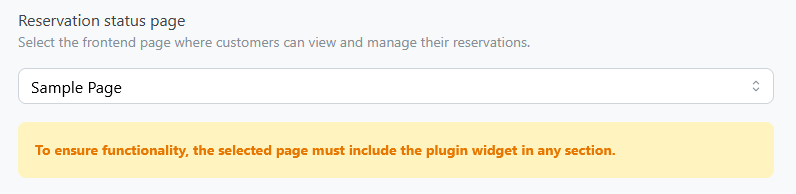
For the personal links in customer emails, use a dedicated page with a TheBooking widget and select it under Settings > Core > Redirects > Reservation status page.