Coverage
Availability > Coverage shows how booked the coming weeks are, as a grid of weekdays. Use it to find the busy and the quiet times of the week, to decide where to add or remove availability, or to see which providers or services fill up first.
Coverage reads the same slots as Slots, from today on. Administrators see every slot; a provider sees only their own.
Read the grid
Each column is a weekday, and each row is an hour, a provider, or a service. A cell adds up the same weekday over the whole period: with 4 weeks, the cell for Monday at 9:00 AM counts the four Mondays from today. The darker the cell, the higher the value. A grey cell has no slots.
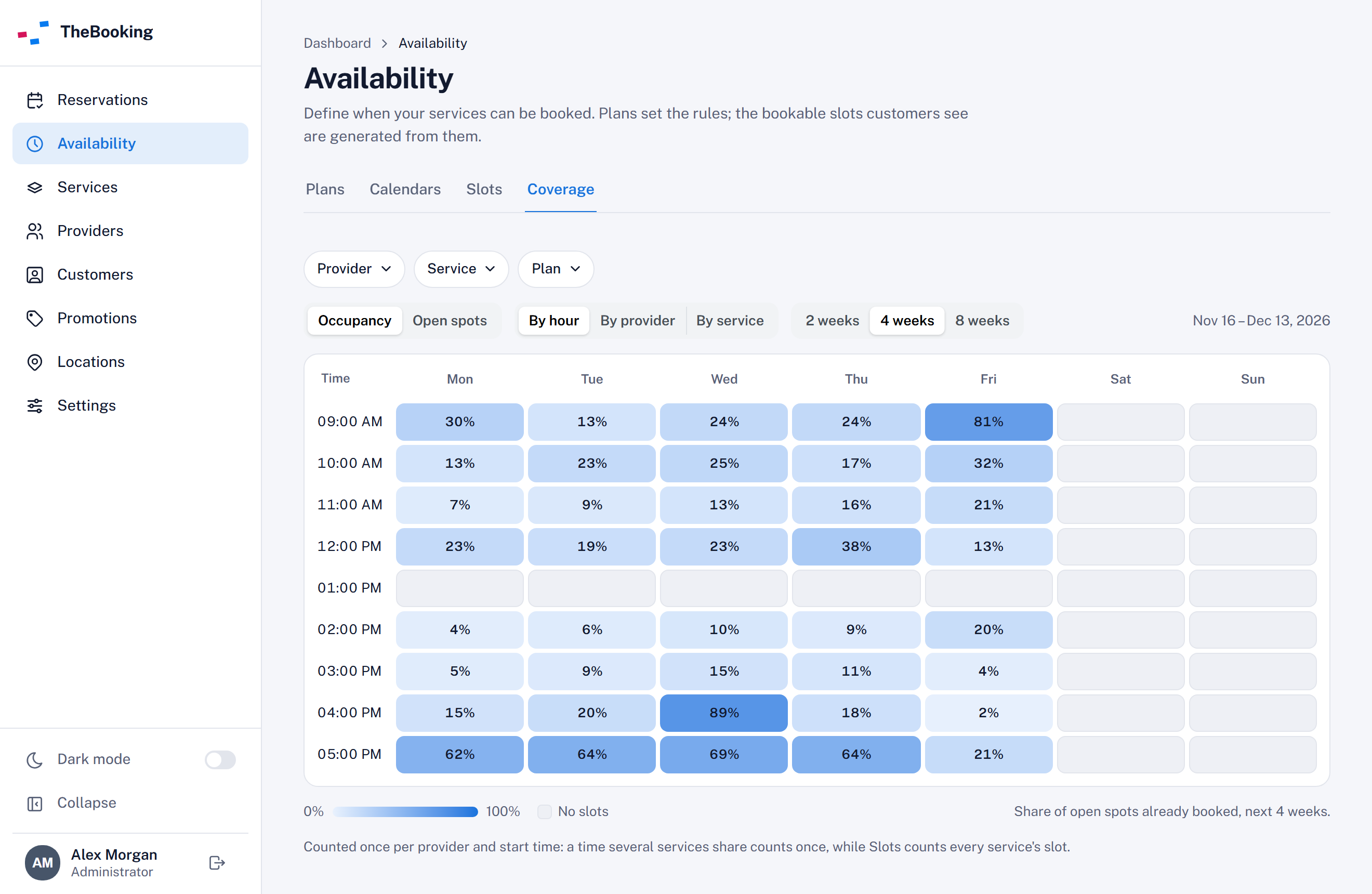
Choose what the cells show:
| Measure | What a cell shows |
|---|---|
| Occupancy | The share of the spots already booked, from 0% to 100%. |
| Open spots | How many spots are still free. The color compares the cells with each other, from Fewer to More. |
Hover over a cell to read its figures: how many provider times it counts, and how many of their spots are booked.
Group and filter
| Control | Options |
|---|---|
| Group | By hour (default), By provider, or By service. By provider appears when providers are enabled. |
| Period | 2 weeks, 4 weeks (default), or 8 weeks, from today. The dates of the period appear beside the controls. |
| Provider, Service, Plan | The same filters as Slots. Provider appears only to administrators. |
See the slots of a cell
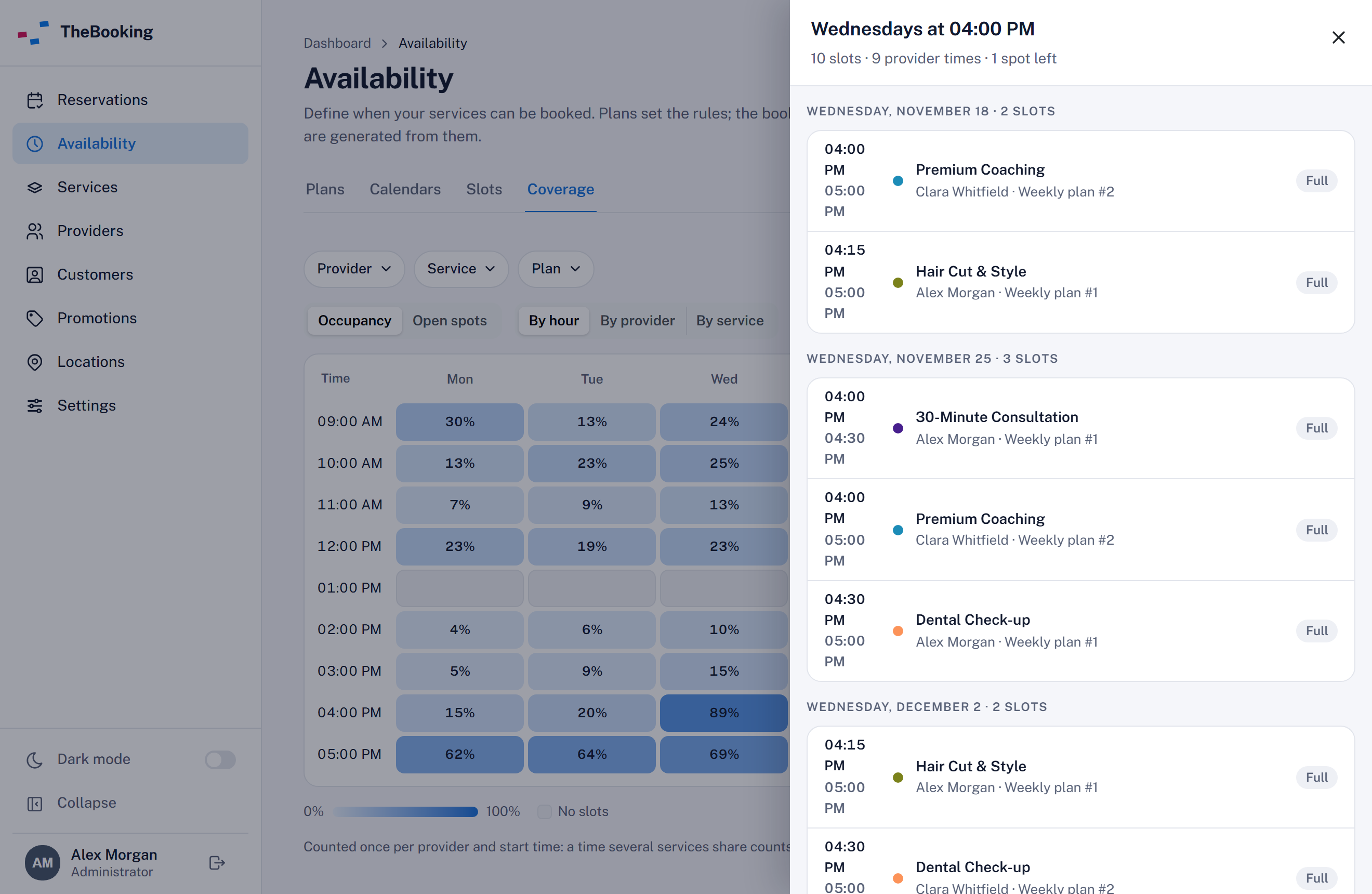
Select a cell to open the slots behind it: the slots of that hour, provider, or service on every day of the period that falls on that weekday. Select a slot to see its details and reservations, as in Slots.
How spots are counted
Coverage counts each provider once per start time. When several services offer the same time of the same provider, that time counts once, because a booking of one service takes the time from the others. Slots counts the slot of each service, so its totals can be higher.
When nothing is booked at a time, the time counts the spots of the service with the most spots. When a service is booked, it counts the spots of that service. For example, a provider who offers both Group Yoga Class (12 spots) and Personal Training (1 spot) at 9:00 AM adds 12 open spots until someone books Personal Training: then the time counts 1 spot, and it is full.
Independent plans don't share their reservations with other plans, so their slots are counted on their own.
When a provider offers group and individual services at the same times, the group service sets the capacity of the free times, and the occupancy of those hours looks low. Filter by Service to read each kind of service on its own.