Customize the frontend
Open TheBooking > Settings > Core > Style and select Customize, or open Appearance > Customize > TheBooking.
The widget has four appearance settings:
| Setting | Values | Default |
|---|---|---|
| Primary widget color | Any valid hexadecimal color | |
| Border radius | none, xs, sm, md, lg, xl, 2xl, 3xl, 4xl, full | sm |
| Widget color mode | Automatic, Light, Dark | Automatic |
| Widget font | Public Sans (included), Theme font | Public Sans (included) |
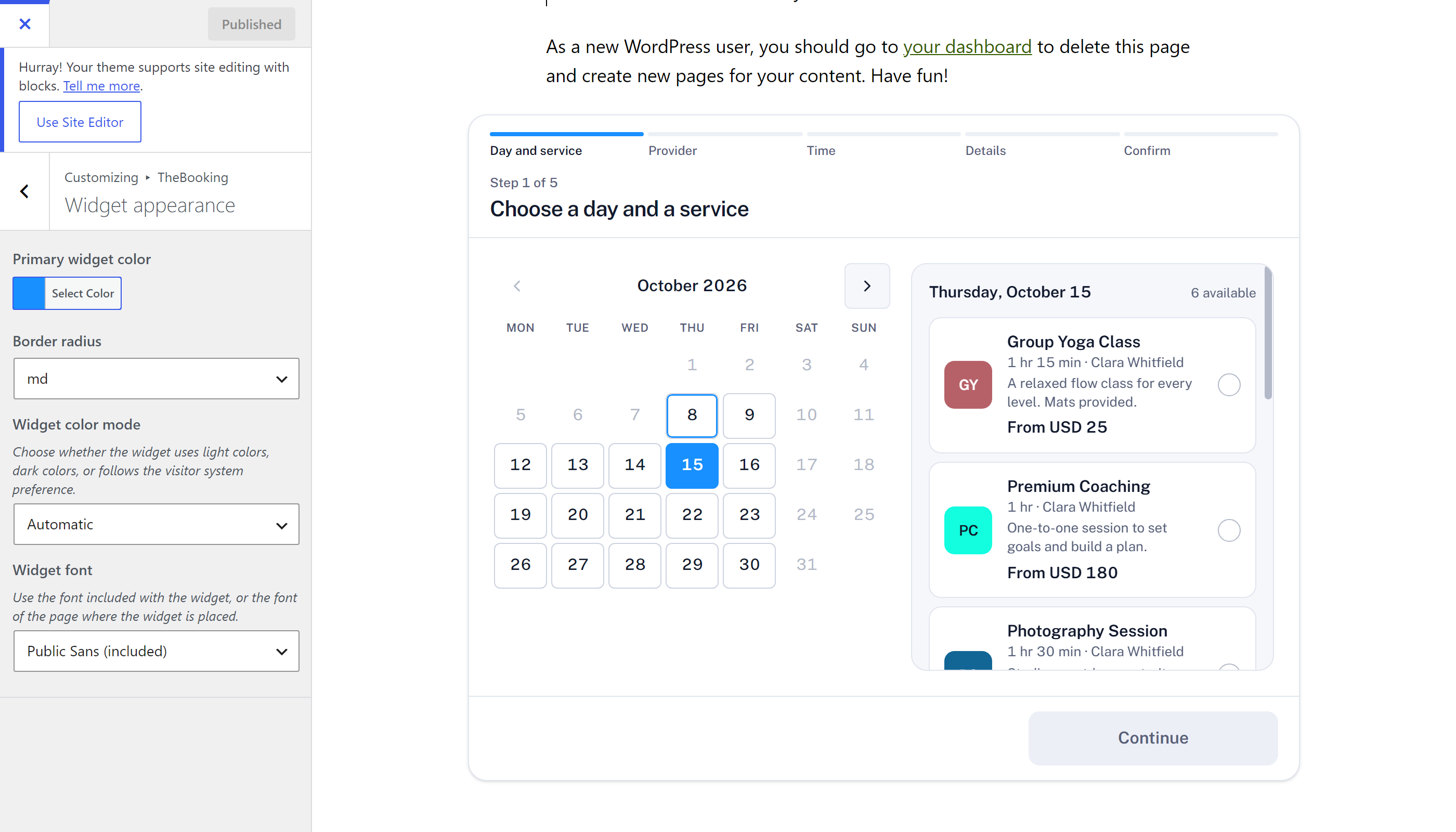
Automatic color mode follows the visitor's operating-system preference.
Widget font decides the typeface of the widget. Public Sans (included) comes with the plugin, so the widget looks the same on every site. Theme font uses the font of the page where the widget is placed, so the widget matches the rest of the site.
Navigate the Customizer preview to a page containing the TheBooking widget, then publish the changes.
Map styling, border width, background colors, slot colors, and calendar dot behavior are not runtime Customizer settings in version 4.
Widget width and layout
The widget fills the width of the block, column, or sidebar that contains it, up to a maximum of 50rem (800 px). Its layout follows the width of that container, not the width of the screen:
| Container width | Layout |
|---|---|
| Less than 480 px | One column, as on a phone. The button at the bottom takes the full width. |
| 480 to 719 px | Step names under the progress bar. The button at the bottom moves to the right. |
| 720 px or more | Lists in two columns, calendar and times side by side. |
So a widget in a narrow sidebar uses the phone layout, even on a desktop screen. To get the side-by-side layout, place the widget in a full-width or wide block.
To change the maximum width, add a CSS rule to the theme, for example under Appearance > Customize > Additional CSS:
the-booking-widget {
    max-width: 60rem;
}