Services
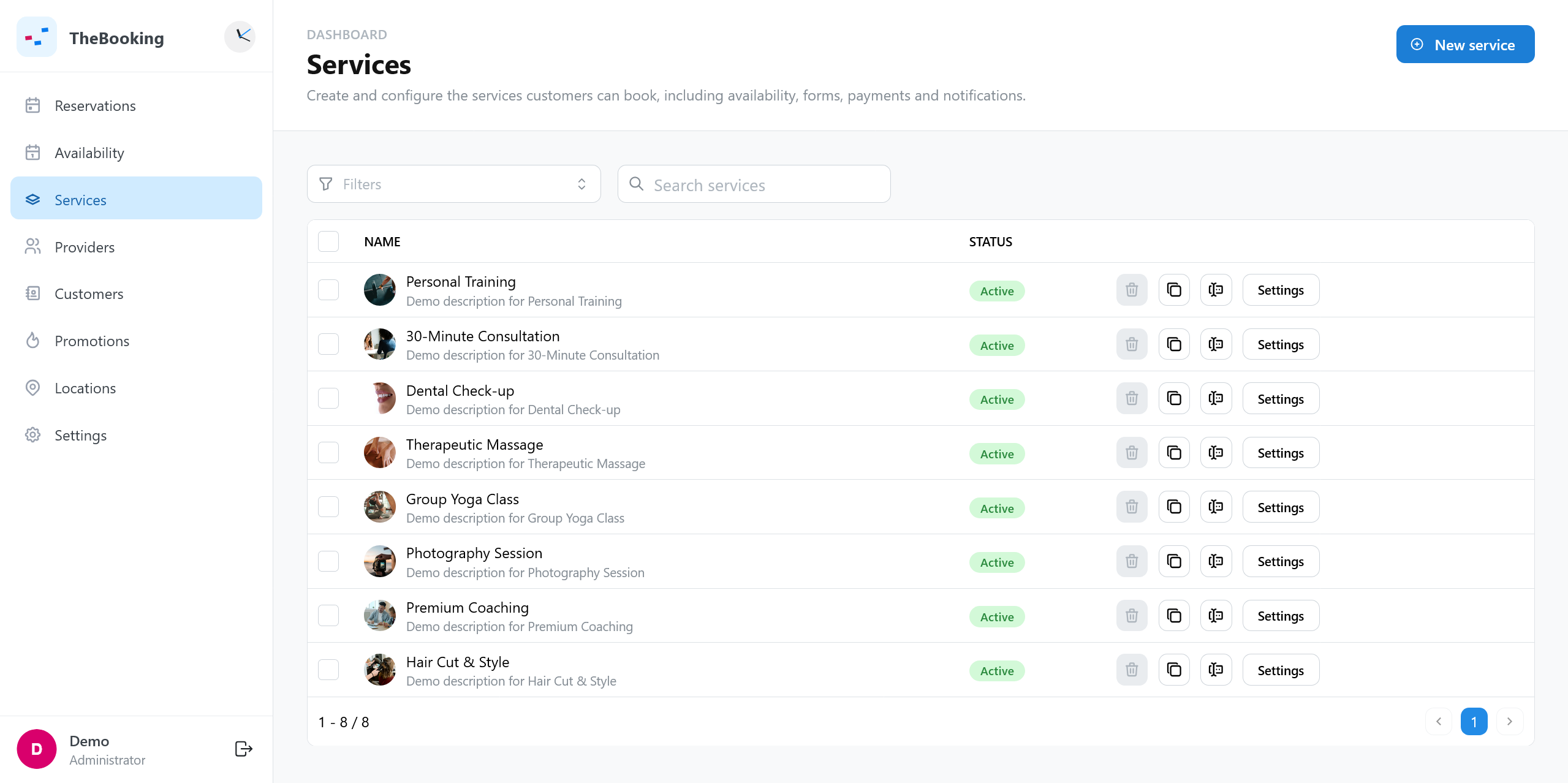
Services are the heart of TheBooking. They define what customers can book, how long the appointment lasts, what information is collected, whether payment is required, and which messages are sent.
Use one service for each offer that needs its own booking rules. For example, a 30-minute consultation and a 90-minute assessment are two services.
What belongs to a service
- Customer-facing name, description, color, and location.
- Appointment duration, capacity, buffer time, and booking limits.
- Booking form fields.
- Customer, administrator, and provider notifications.
- Approval, cancellation, payment, access, and redirect rules.
- Integration behavior for Google Calendar, Google Meet, and Zoom.
- Translations for customer-facing text.
What does not belong to a service
A service does not decide when it is available by itself. Availability comes from one or more availability plans.
This separation lets you offer the same service on different schedules, with different providers, or in different locations.
Before customers can book
Check three things:
- The service is active.
- The service belongs to an active availability plan.
- The plan generates at least one valid slot.
Use Availability > Slots if the service appears empty on the frontend.
Duplicate a service
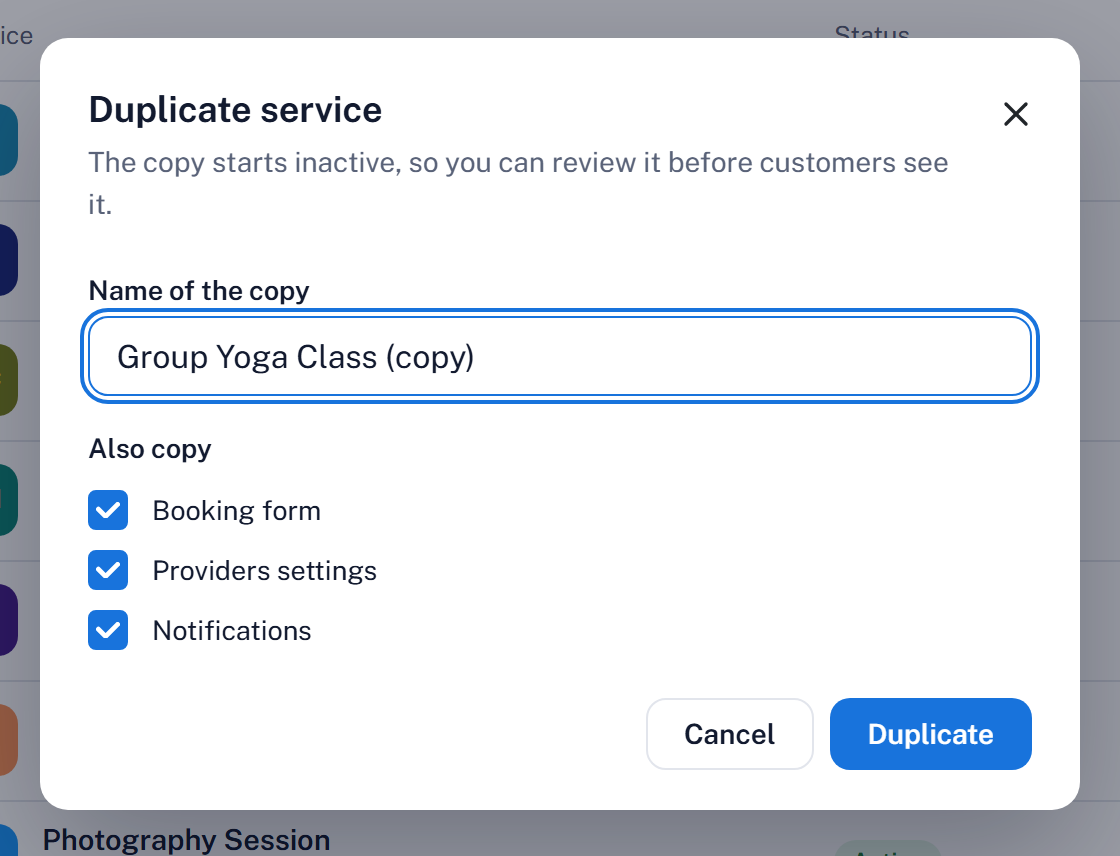
To start a service from an existing one, open Services and select the duplicate button of the service. In Duplicate service, enter the Name of the copy, choose what to Also copy, and select Duplicate:
- Booking form: the fields of the form, with their conditions and their translations;
- Providers settings: the settings that each provider set for the service;
- Notifications: the emails to the customer, the admin, and the providers.
The other settings of the service are always copied. The copy starts inactive, so you can review it before customers see it. Its reservations, and the promotions that target the original, are not copied.
Retiring a service
Deactivate a service when it should no longer receive bookings but must remain visible in historical reservations. Delete only services that are no longer needed for reporting or past booking context.