Enable online payments
Online payments let customers confirm paid appointments without leaving the booking flow. TheBooking supports Stripe, PayPal, and Mollie through hosted checkout pages.
How payments are enabled
Payments need two levels of configuration:
- Online payments must be enabled for the site.
- At least one gateway must be configured correctly and ready to use.
Then each service decides whether payment is required online, left to the customer, or handled locally.
Configure currency
Open Settings > Core > General and review:
- currency;
- price display format;
- decimal precision;
- sender email.
See General settings for every option.
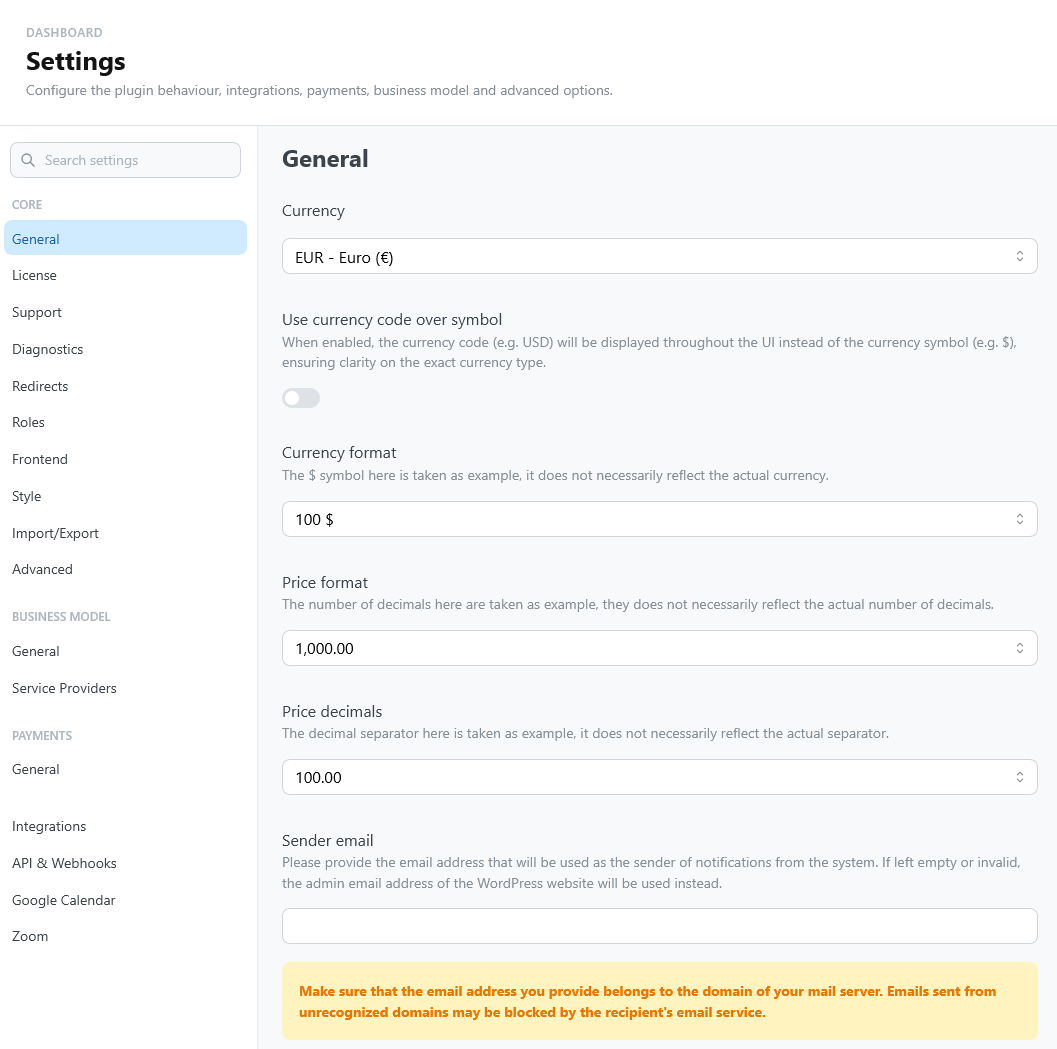
Use the same currency expected by your payment gateway account.
Enable online payments
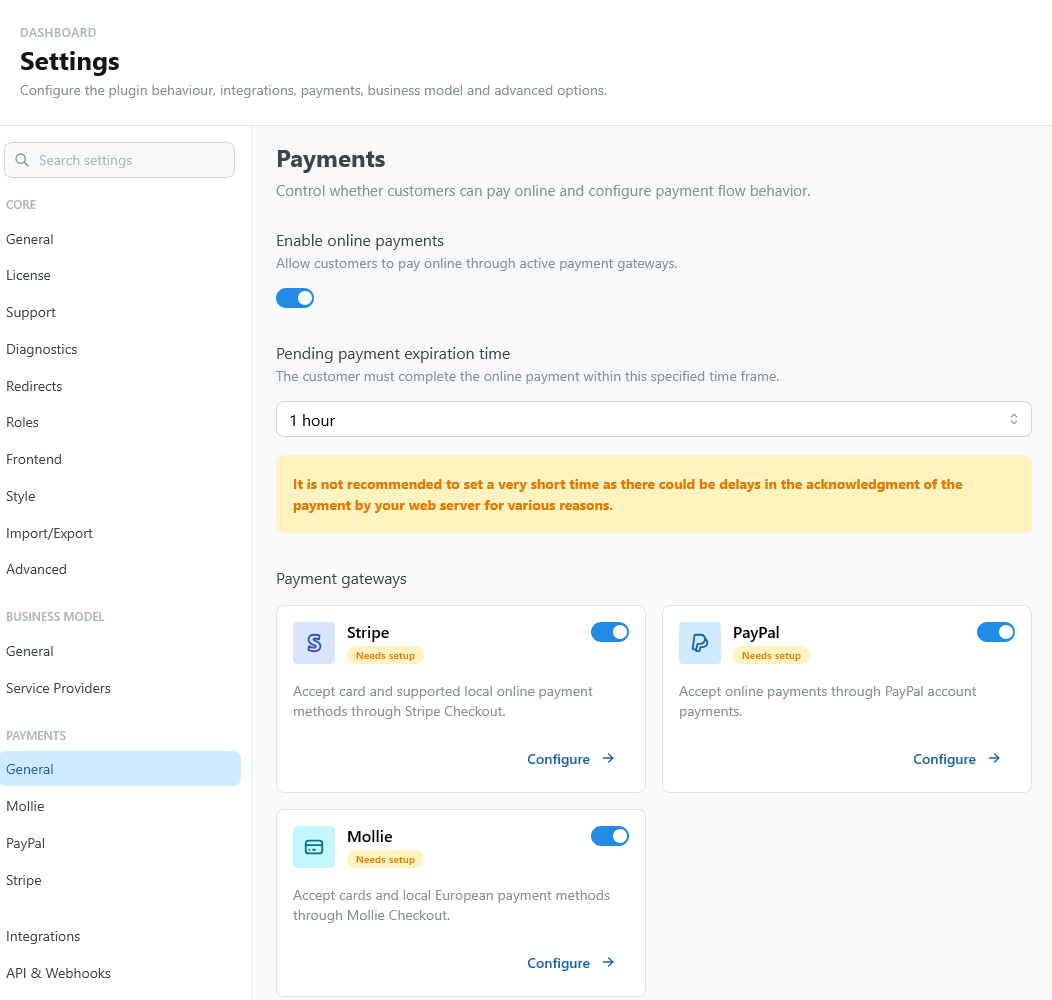
Open Settings > Payments > General and turn on Enable online payments. See Payments settings.
Set the expiration time for pending payments. This controls how long an unpaid booking can remain pending before it is treated as expired by the payment workflow. The customer sees this deadline in the widget and in My bookings.
Configure a gateway
Enable and configure one or more gateway cards:
- Stripe for card payments and supported local payment methods.
- PayPal for PayPal account checkout.
- Mollie for cards and European local payment methods.
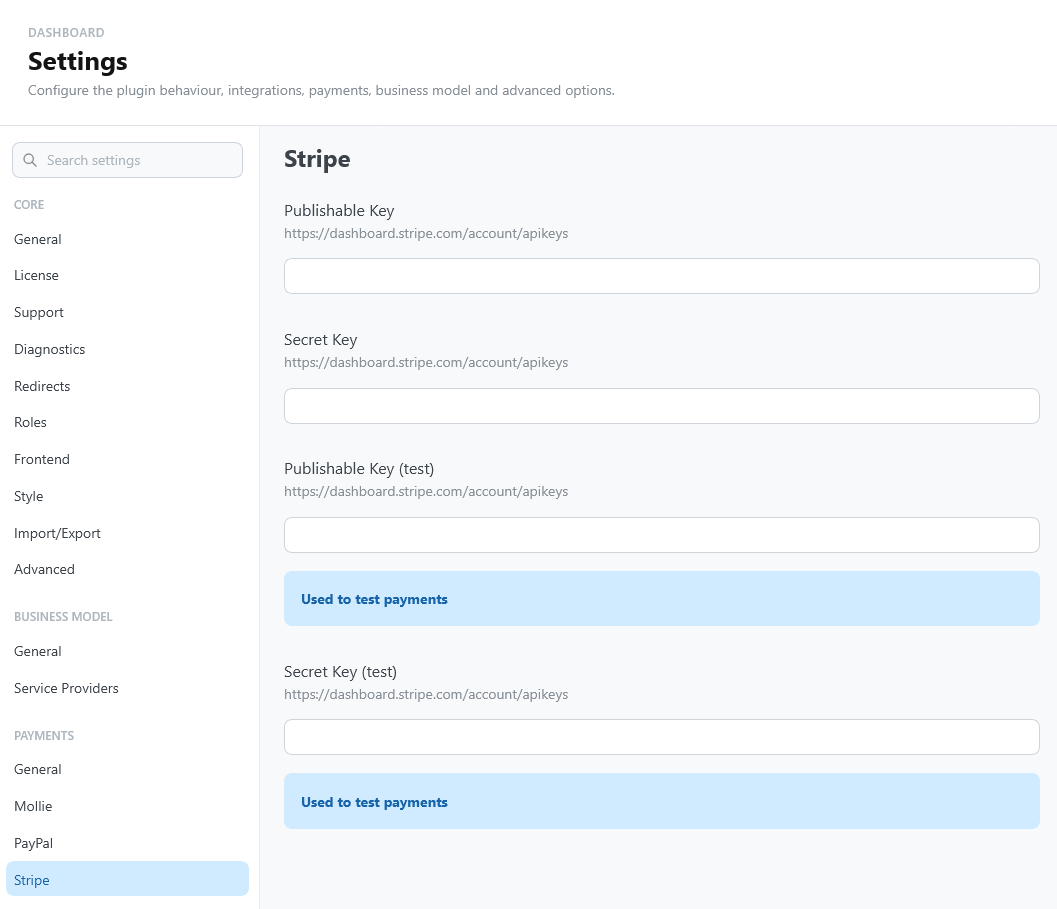
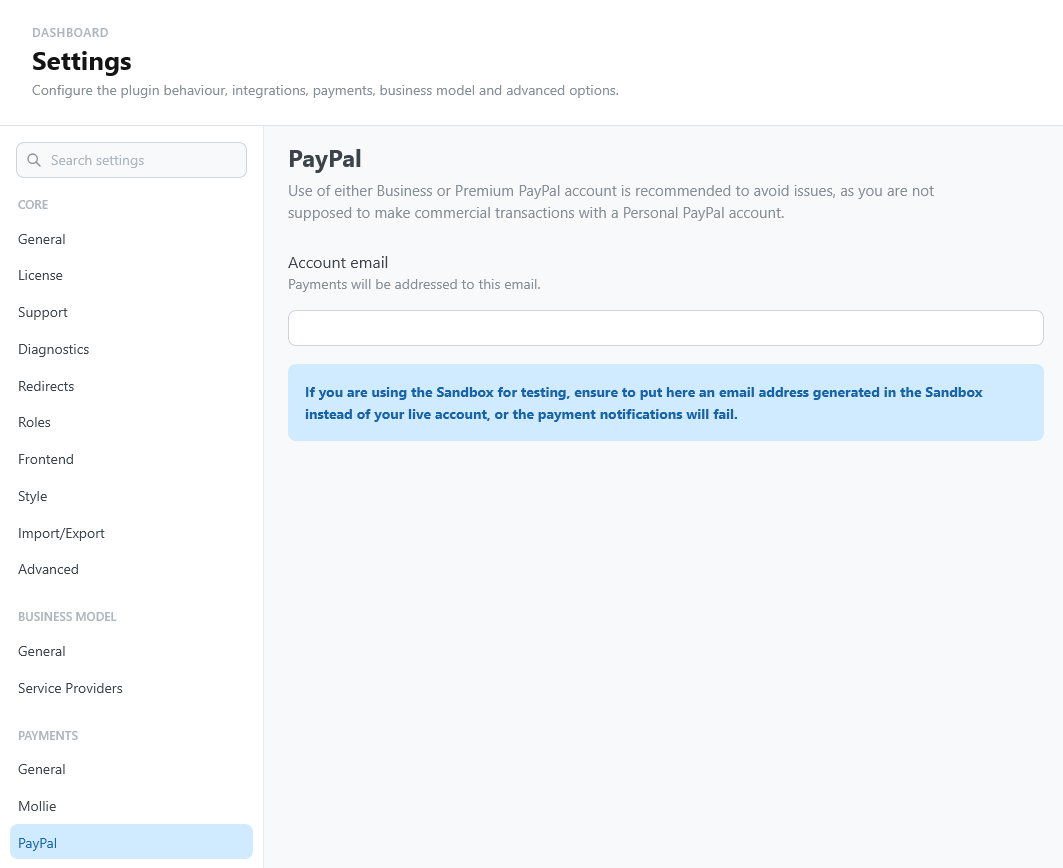
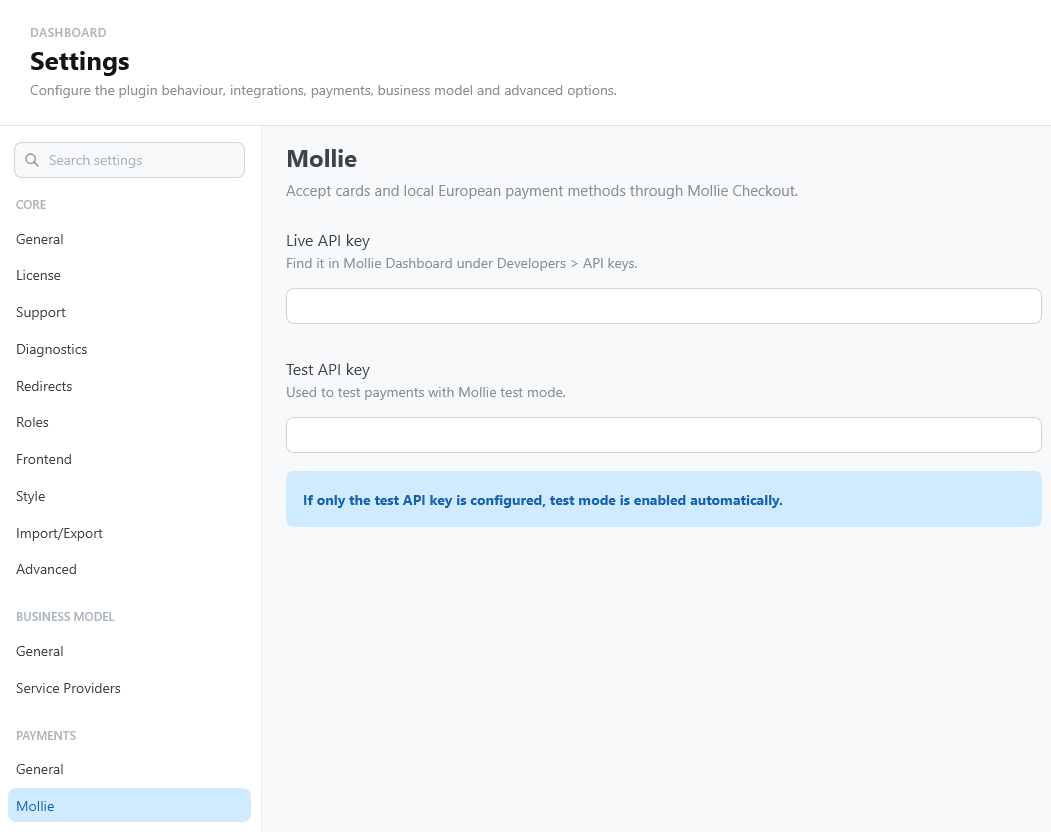
A gateway can be enabled in the interface but still not ready. TheBooking marks it active only when credentials, currency, and setup checks are valid.
Configure each paid service
Open the service Payments section:
- Set a price greater than zero.
- Under How payment is required, choose Online (required) or Discretionary (the customer chooses). Local leaves the payment out of the plugin.
- Save the service.
- Confirm that at least one gateway is active.
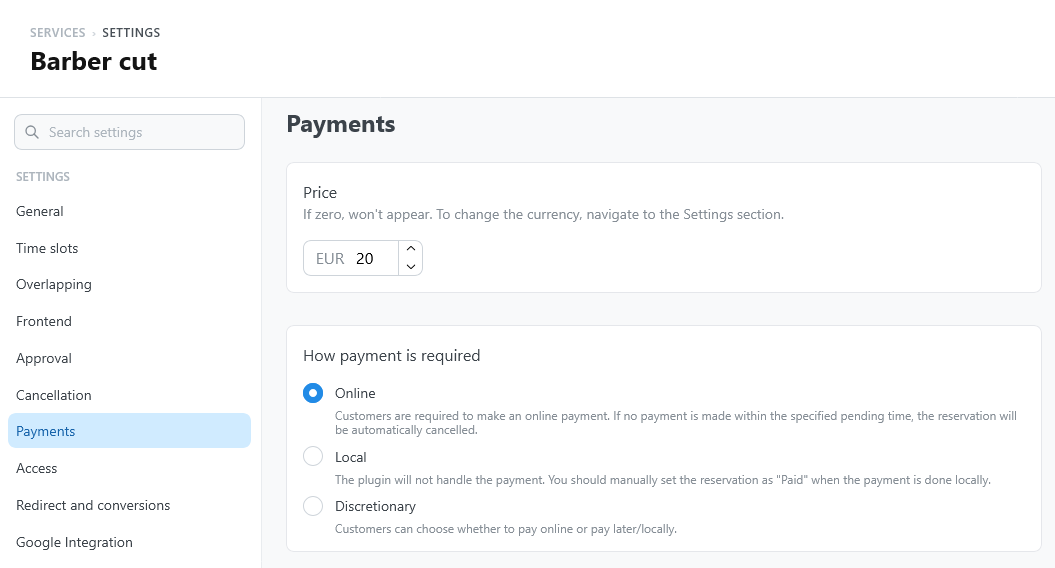
The payment choice appears to customers only when the site and the service are both ready for online payments.
Customers can also pay an existing booking later, from My bookings or from the personal link in their emails. See Pay later.
Test before going live
Turn on the test mode of the gateway (Use sandbox or Use test mode) and enter its test keys. Complete a full booking and check that:
- the customer reaches the hosted checkout, and returns to the page where the booking started;
- the payment callback can reach the WordPress site over HTTPS;
- the reservation records the payment;
- the reservation status changes as expected;
- the reservation shows Refund. With PayPal, refunds need the API Client ID and API Client Secret.
Disabling online payments hides customer payment actions but keeps credentials and historical payment records.