Notifications
Notifications keep customers and staff informed before and after an appointment.
Each service has its own notification settings, so a consultation can use different wording from a class, visit, or paid appointment.
Which emails are sent
Open the service settings and, under Notifications, select To the customer, To the admin, or To the service provider. Each email has its own switch; an email that is off is never sent.
| Recipient | When it is sent | Default | |
|---|---|---|---|
| Customer | Confirmation email | The booking is confirmed. | On |
| Customer | Preliminary confirmation email | A booking that needs approval is received. | On |
| Customer | Reminder email | A number of days before the appointment (default 2). | Off |
| Customer | Post-service engagement email | A number of days after the appointment (default 1). | Off |
| Customer | Cancellation email | The booking is cancelled or denied. | On |
| Customer | Reschedule email | The booking is moved to another time. | On |
| Administrator | Confirmation email | A booking is confirmed, or a booking that needs approval is received. It can include the files uploaded with the booking form. | On |
| Administrator | Cancellation email | A booking is cancelled. | On |
| Provider | Confirmation email | A booking with the provider is confirmed. | Off |
| Provider | Cancellation email | A booking with the provider is cancelled. | Off |
| Provider | Reschedule email | A booking with the provider is moved. | Off |
A booking is confirmed when it is made, unless it waits for an online payment or for approval:
- Waiting for an online payment, without approval. No email is sent when the booking is made. The confirmation emails to the customer, the administrator, and the provider are sent when the payment is received, or when you confirm the reservation by hand. If the customer does not pay, the booking expires without emails.
- Waiting for approval. The customer receives the preliminary confirmation email and the administrator the confirmation email. The provider receives the confirmation email only with Service provider approval. When the booking is approved, the customer and the provider receive the confirmation email. This also applies when the service requires an online payment: the payment does not confirm the booking, the approval does. See Approval.
The provider emails appear only when providers are enabled. They can be delegated, so that each provider turns them on or off for themselves.
Each email to the customer also sets its sender: Administrator uses the address in Settings > Core > General > Sender email, with the site title as name; Service Provider uses the email address and name of the provider's WordPress user profile.
Reminders and follow-ups
Reminder and post-service emails are sent by WordPress Cron, which checks every hour. WordPress Cron runs only when someone visits the site: on a site with little traffic, these emails can arrive late or not at all. Ask your host to run WordPress Cron from a real server cron job.
Edit an email
Open a notification and select Edit email content.
The builder includes:
- Editor: change the email content for this service.
- Preview: check the rendered message.
- Templates: save reusable versions and apply them later.
Applying a template fills the editor draft. Save the notification setting when the email is ready.
Use placeholders
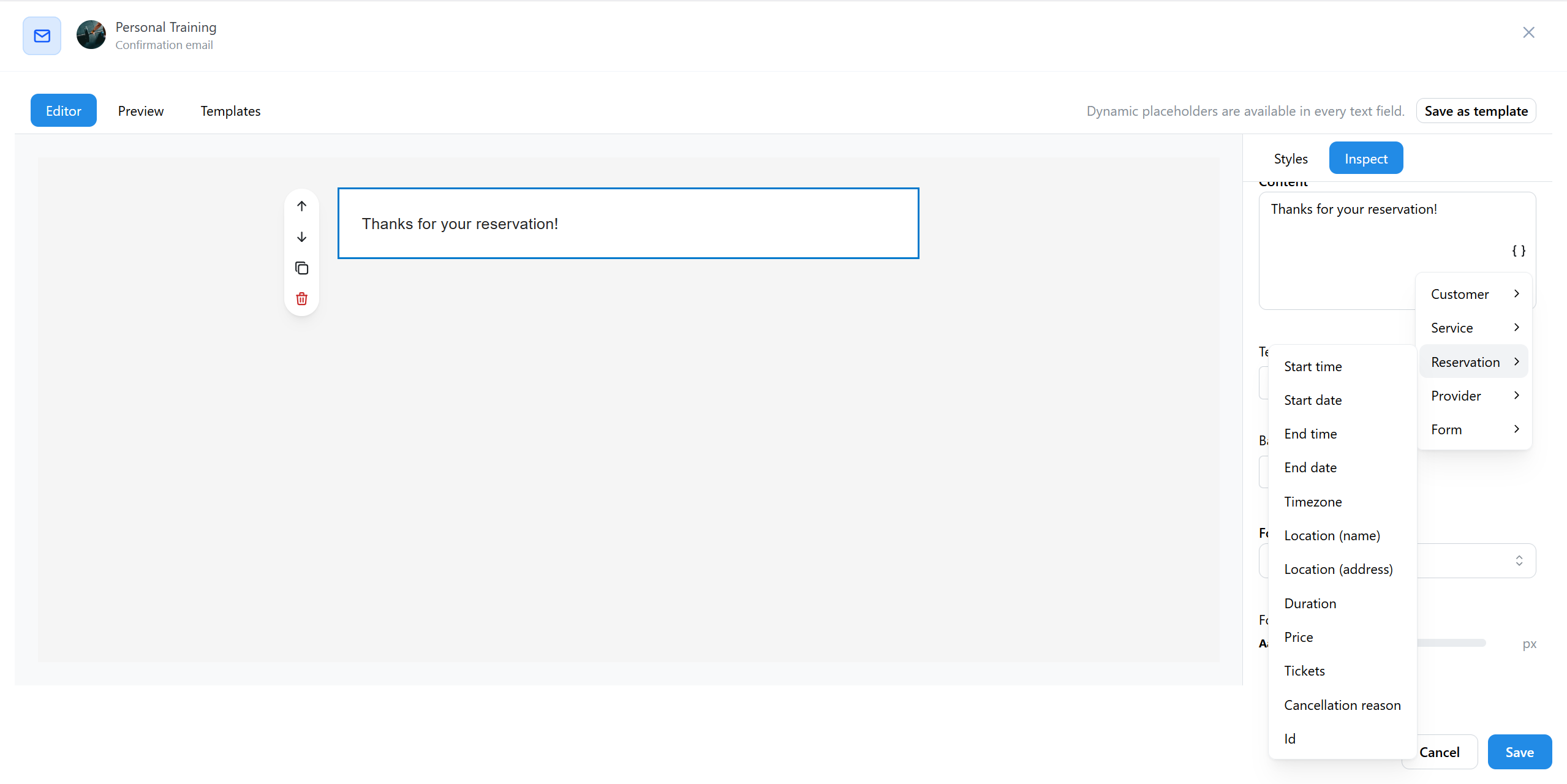
Placeholders insert live reservation information into the email, such as customer name, appointment date, provider, location, payment data, meeting links, or booking-form answers.
Use the placeholder picker instead of typing placeholders manually. Custom form fields appear only when a notification placeholder is configured for that field.
In customer emails, add the Manage or cancel reservation link from the Links group. It opens My bookings on the Reservation status page with that booking, where the customer can see it, pay it, or cancel it when the service allows. The link works without logging in and stops working 30 days after the booking.
Rescheduling emails
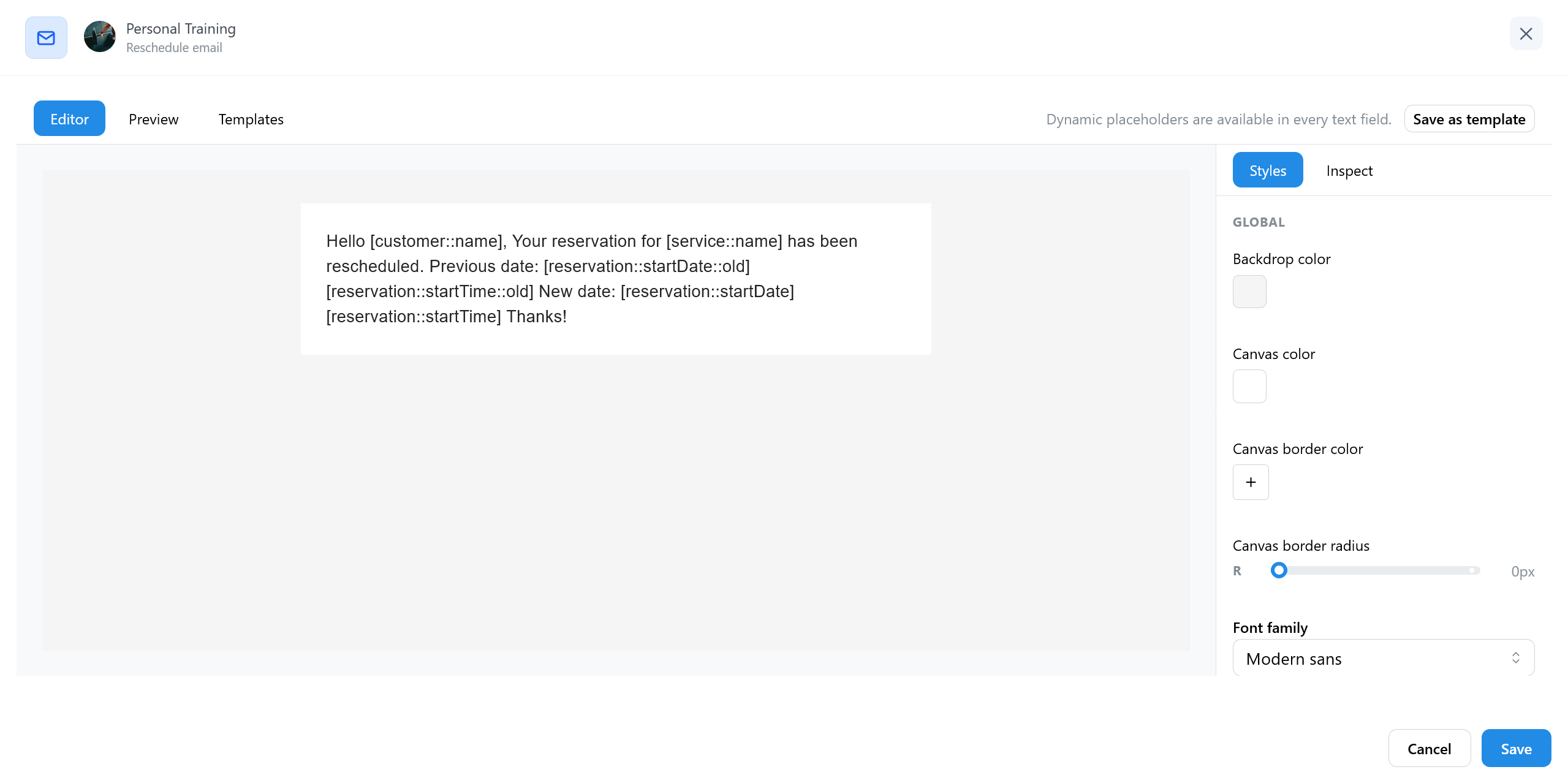
Rescheduling has its own customer and provider templates. These templates can show both the previous and new appointment details, which makes the change clearer for everyone involved.
Test your emails
TheBooking has no button to send a test email. Test the emails of a service with a booking, in this order:
- Book the service in the widget, with the email address of a mailbox you can read. If the service needs an online payment or approval, complete the payment or approve the reservation.
- Reschedule the reservation from Reservations, with Send the reschedule e-mails on. A cancelled reservation cannot be rescheduled.
- Cancel the reservation.
After each step, check the emails the customer, the administrator, and the provider receive.
Delivery
TheBooking sends email through WordPress. If messages are delayed or missing, check the site's mail or SMTP logs and confirm that WordPress Cron is working for reminders and follow-up messages.