Create events after reservation
TheBooking can create Google Calendar events when customers book. This gives administrators and providers a familiar calendar view of their upcoming appointments.
Configure destination calendars
- Connect a Google account and, from Availability > Calendars, use Add calendar so the calendar can be used in plans. Only a calendar the account owns — not a shared calendar — can act as a destination.
- Open the availability plan in Availability > Plans, switch to its Availability tab, and add the calendar under Calendars in this plan.
- Enable the Destination switch for that calendar. It's independent of the Source/Blocking role, so the same calendar can be a source and a destination at once, or destination-only.
- Open the service's Google integration settings.
- Turn on Add reservation on Google Calendar.
- Configure the event title, description, color, reminders, guests, and optional Google Meet link.
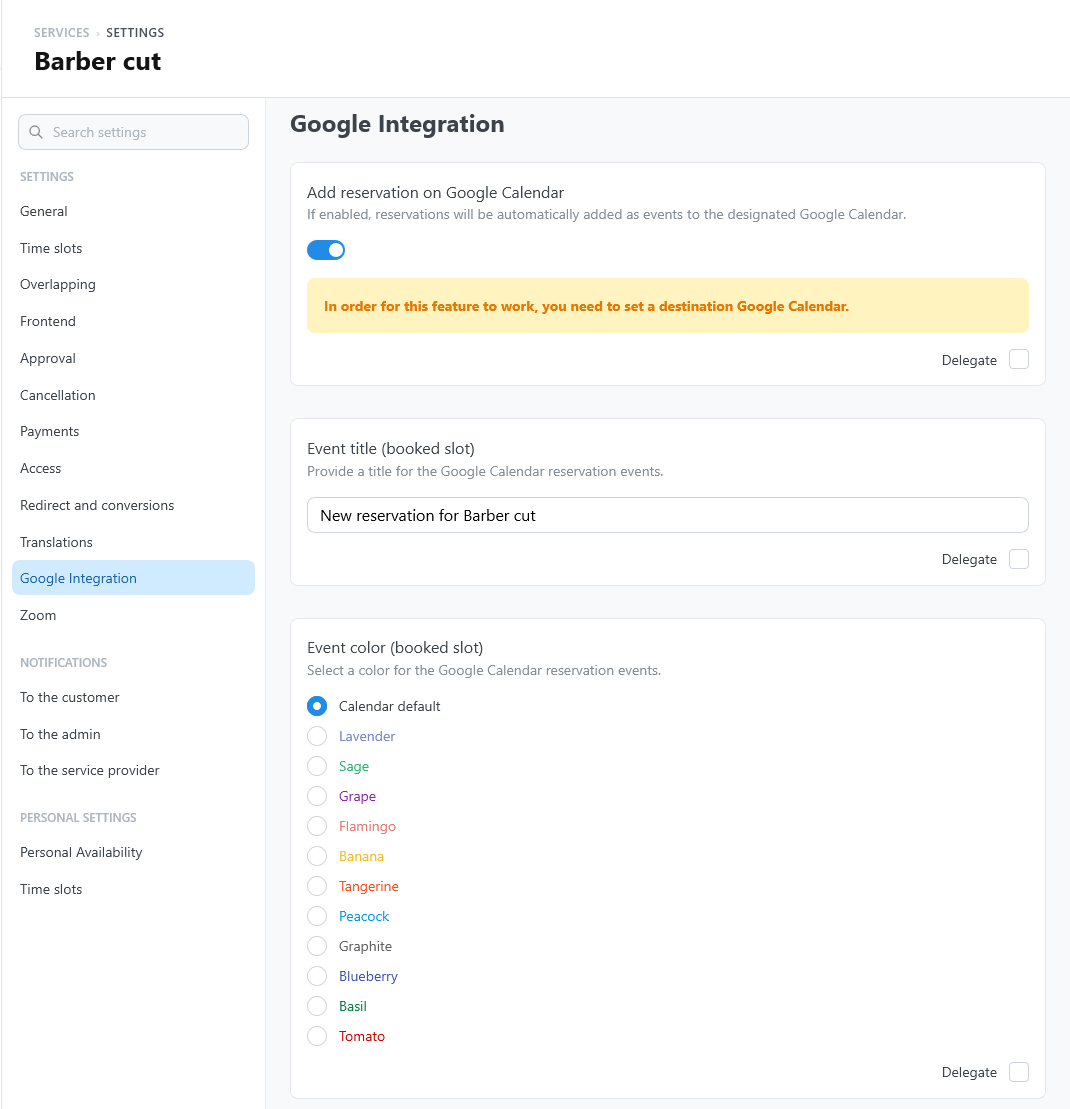
Use a dedicated destination calendar when possible. It keeps customer reservations separate from source availability and personal calendar events.
What appears in the event
Depending on the service settings, the event includes the appointment time, customer details, service information, location, reminders, guests, and meeting links.
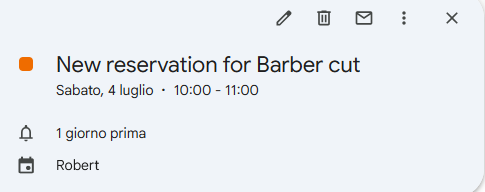
Use clear event titles so providers can recognize appointments quickly from Google Calendar.
Changes after booking
When a reservation is rescheduled, TheBooking updates the destination event. If the provider changes and the new provider uses a different Google account, TheBooking removes the old event and creates the correct one in the new calendar.
If calendar synchronization fails, the reservation in TheBooking remains the source of truth. Review the reservation history before editing external events manually.