Google accounts and providers
When providers are enabled, every Google account and every calendar applies to some providers. This decides whose times a calendar opens or blocks, and whose reservations it receives.
Without providers, accounts have no provider: each calendar applies to the plans that use it.
Team and personal accounts
| Account | Associated provider | Its calendars apply to | Label in Availability > Calendars |
|---|---|---|---|
| Team account | No provider | The providers of each plan that uses the calendar, or a sub-team of them | Team account |
| Personal account | One provider | That provider only | The provider's name |
An account has at most one provider. A provider can have several accounts.
An account gets its provider when it is connected: it belongs to the user who connects it. An account connected by a provider is always that provider's. An account connected by an administrator belongs to the administrator: to make it a team account, open its Settings and set Associate with a service provider to No provider. Only administrators can change the provider of an account. See Connect a Google account.
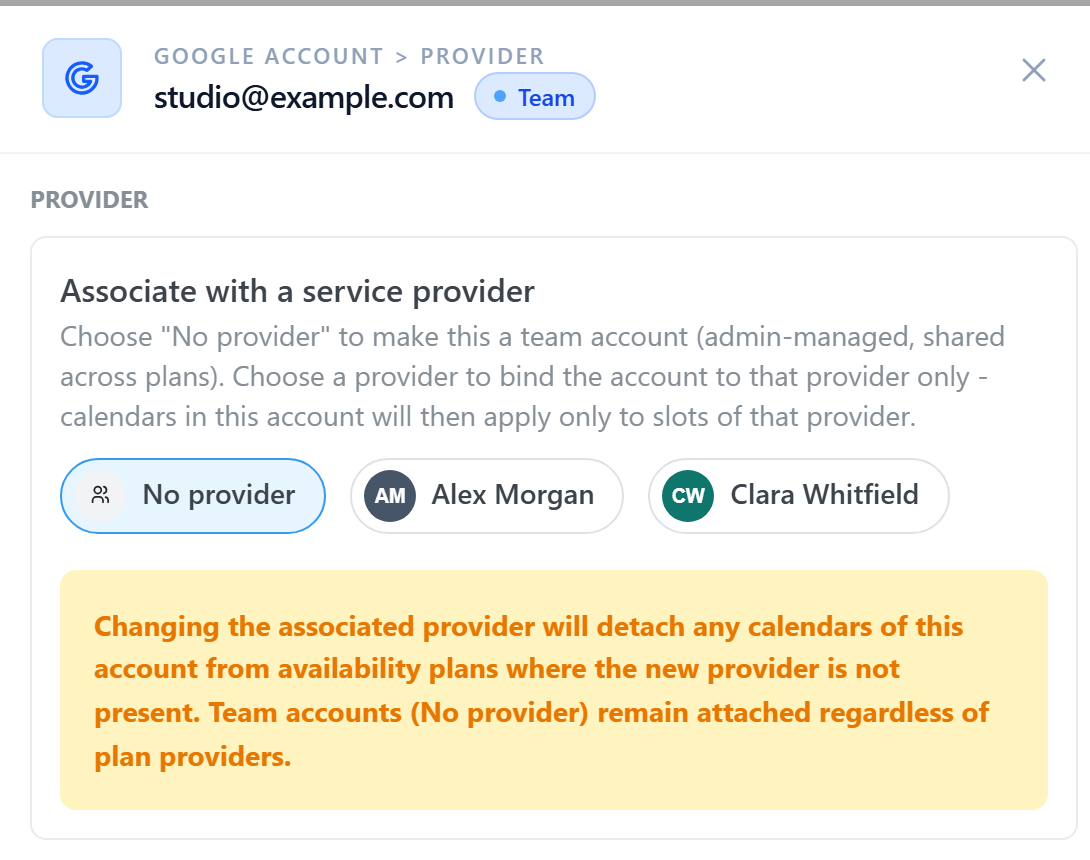
When you associate an account with another provider, its calendars leave the availability plans where the new provider is not present. Calendars of a team account stay in their plans.
Calendars of a team account
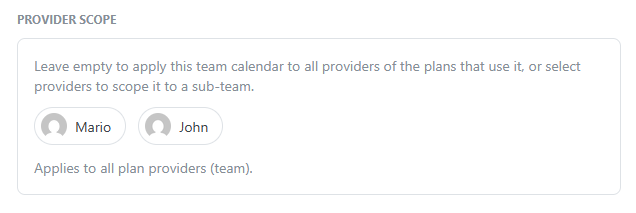
A calendar of a team account applies to every provider of the plan that uses it. To limit it to some providers, open the calendar and select them under Provider scope: the calendar becomes a sub-team calendar. It then applies only to the providers that are both in its scope and in the plan.
Calendars of a personal account
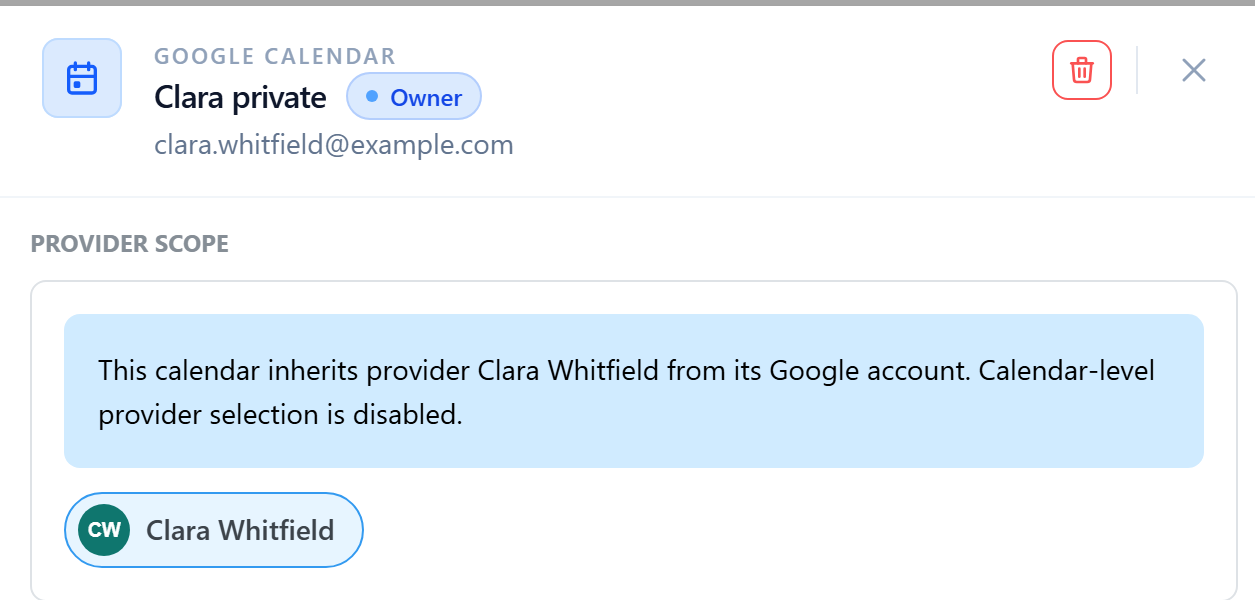
A calendar of a personal account inherits the provider of the account, and its provider scope cannot be changed. It applies to that provider in every plan that uses it.
Calendar roles
The role of a calendar is chosen in each plan. It always acts for the providers the calendar applies to:
| Role | Effect |
|---|---|
| Source | Its events open availability. See Providing availability. |
| Blocking | Its busy events remove availability. See Block availability. |
| Destination | It receives an event for each reservation of a provider it applies to. See Create events after reservation. |
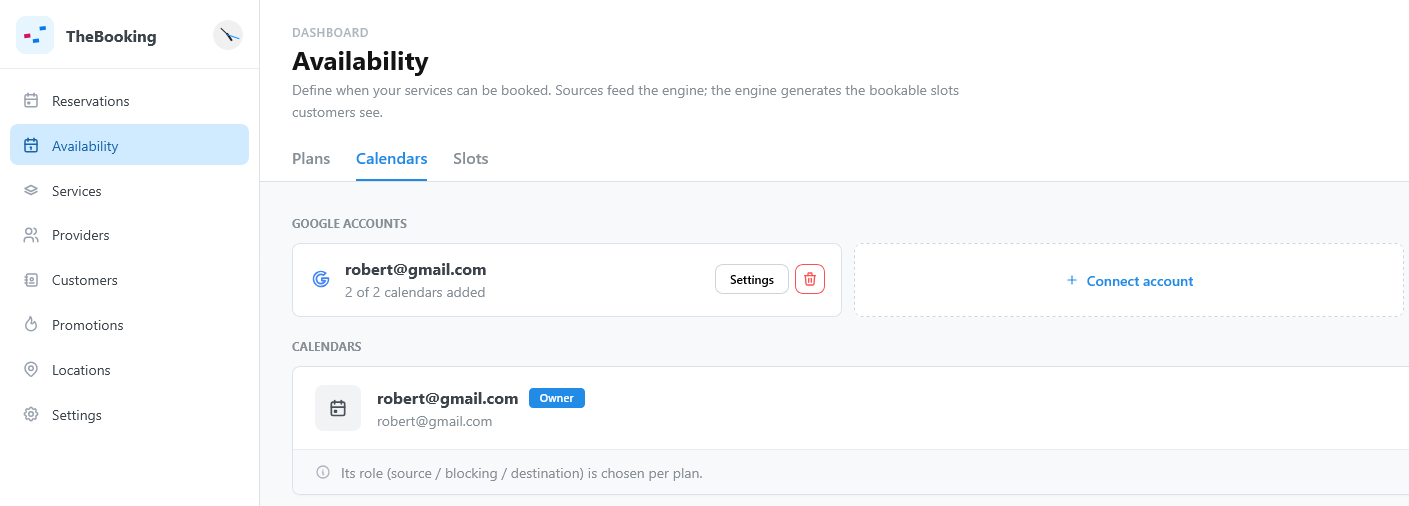
Only a calendar that the account owns, marked Owner, can be a destination. A calendar shared with the account is marked Shared.
Example
A plan offers Personal Training with Clara and Alex:
- A team account connects the calendar Studio schedule, without provider scope, as Source. Its events open times for both Clara and Alex.
- Clara connects her own account. Her calendar Clara private is Blocking: her busy events remove only her times. Alex's times do not change.
- The team calendar Studio bookings, scoped to Clara, is the Destination. Reservations with Clara are written to it. Reservations with Alex are not.
Labels of accounts and calendars
| Label | Meaning |
|---|---|
| Team account | An account without a provider. |
| A provider's name | The personal account of that provider. |
| Sub-team | A team calendar scoped to some providers. |
| Legacy multi-provider | An account associated with several providers, from an older version. Associate it with one provider, or with No provider. |
| Provider missing | The provider of the account is no longer a provider. Associate the account with another provider, or with No provider. |
| Owner, Shared | The account owns the calendar, or sees it shared. |
| Not used in any plan | The calendar is added, but no plan uses it. |