Time slots
Time-slot settings decide how availability windows become appointment times customers can book.
Settings
Open the service settings and select Time slots.
| Setting | What it does | Default |
|---|---|---|
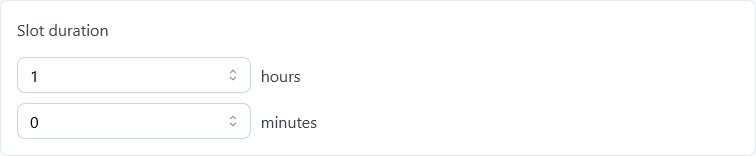
| Slot duration | The length of one appointment. | 1 hour |
| Time slot capacity | How many tickets each slot has: places, seats, or participants. | 1 |
| Max user tickets per slot | How many tickets one customer can book in the same slot. 0 allows all the free tickets. | 1 |
| Block after one reservation | The first booking closes the slot, even if tickets are left. | Off |
| Buffer configuration | Always computed between slots or Only computed around booked slots. See Buffer. | Always computed between slots |
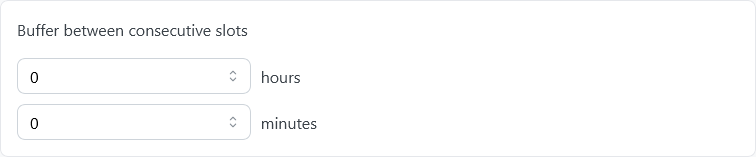
| Buffer between consecutive slots | The free time between two slots. | 0 |
| Provider routing strategy | Who gets the booking when several providers offer the slot: the customer chooses (Manual (customer picks)), or TheBooking assigns one. See Assigning appointments to providers. | Manual (customer picks) |
| Offer "Soonest available" | Adds an entry to the provider list that picks the provider with the nearest free time. It appears only with Manual (customer picks). | Off |
| Slots filling | Fixed keeps the original slots; Adaptive moves them to fit more times when a reservation or a personal calendar event takes part of the window. | Fixed |
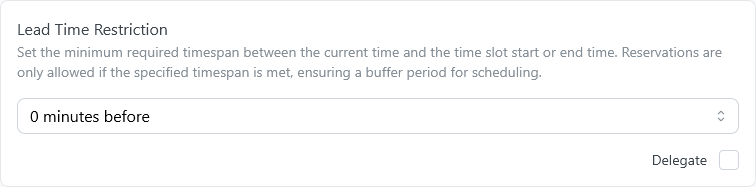
| Lead Time Restriction | How long before the slot customers can still book. See Lead times. | 0 minutes before |
| Lead Time Restriction Reference | Whether the lead time restriction counts from the Slot start time or the Slot end time. | Slot start time |
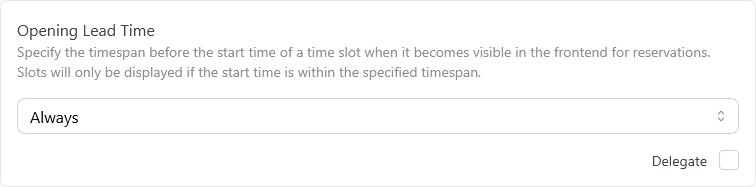
| Opening Lead Time | How far in advance a slot opens. See Lead times. | Always |
The routing settings appear only when providers are enabled. Slots filling and the lead times can be delegated to each provider.
Duration
Duration is the length of one appointment for this service.
For example, a four-hour availability window can produce four one-hour appointments when the service duration is one hour.
Duration belongs to the service. Providers do not have separate duration values in TheBooking 4.
Capacity
Capacity is how many units can be booked for the same appointment time.
Units can represent seats, tickets, participants, or resources. A one-to-one consultation has capacity 1; a class or group appointment has a higher capacity.
Use the per-customer limit to restrict how many units one reservation can request. Use Block after one reservation when the first booking should close the time even if unused capacity remains.

Buffer
Buffer time creates space before or after appointments. Use it for preparation, travel, cleanup, or administrative work.
The service offers two buffer behaviors:
- Always computed between slots: keeps a stable list of possible times.
- Only computed around booked slots: keeps more flexibility until a reservation is made.
Lead times
Lead times control when customers can book.
- Opening Lead Time decides how far in advance a slot becomes bookable.
- Lead Time Restriction decides how close to the appointment customers can still book.
The opening lead time offers two kinds of options:
- Hours before the start of each slot, from 1 to 24. With 2 hours, a 3:00 PM slot opens at 1:00 PM. Always (the default) keeps every slot open.
- Calendar days, which open a whole day at midnight, in the timezone of the availability plan. Same day only (from midnight) opens each day at the start of that day. 7 calendar days, today included keeps a rolling window of seven days open: today and the next six. The longest window is 150 days.
The calendar shows days that open later with a dashed border; customers select one to see when it opens. Frontend settings decide whether slots blocked only by lead times are hidden or shown as read-only.
Before version 4.1, the calendar-day options were named "N days before (until midnight)". Only the names changed: existing settings work as before. For example, "1 day before (until midnight)" is now Same day only (from midnight), and "7 days before (until midnight)" is now 7 calendar days, today included.

Multiple plans
Plans for the same service and provider share the capacity of the service. Mark a plan as independent only when that plan should have its own capacity, such as a separate room or ticket allocation.
The same provider still cannot handle overlapping appointments in two places at once.