Settings
Settings holds the options that apply to the whole site: currency, emails, roles, the booking widget, payments, and integrations. The options of a single service, provider, or customer are in their own settings, under Services, Providers, and Customers.
Only administrators, and the WordPress roles allowed to manage the plugin, can open Settings. To find an option by name, use Search settings at the top of the list of sections, or press /.
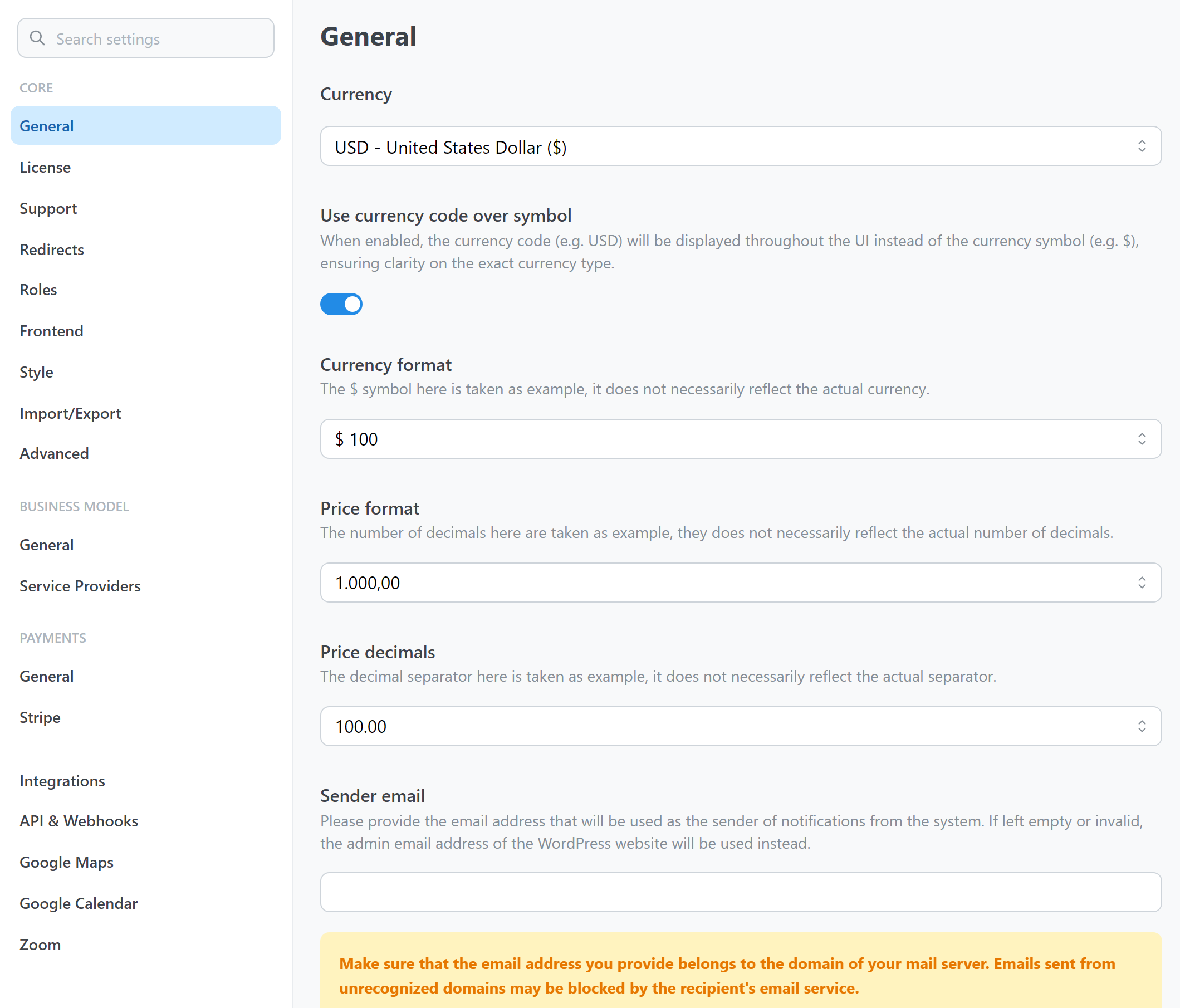
Sections
| Section | What it contains |
|---|---|
| General | Currency, price format, sender email, and the contact details shown to customers. |
| Business model | Phone field mode, translations, and service providers. |
| Integrations | Turn Google Maps, Google Calendar, and Zoom on or off, and open their setup with Configure. See Integrations. |
| Payments | Online payments, the pending payment time limit, and the payment gateways. See Enable online payments. |
| API & Webhooks | API tokens and webhooks. See API and webhooks. |
| License | The license key of the site. See Install and activate. |
| Support | A form to contact the support team. |
| Redirects | Login and registration pages, and the page where customers manage their bookings. |
| Roles | The WordPress roles that can be providers or manage the plugin. |
| Frontend | Booking flow, timezone, and sorting of the booking widget. |
| Style | A link to the WordPress Customizer, where you style the widget. See Customize the frontend. |
| Import/Export | Move settings and data to another site. |
| Advanced | Caching, and how much availability the widget loads at a time. |
The setup pages of Google Maps, Google Calendar, and Zoom open from Integrations when the integration is on.
Save your changes
Changes to the settings are not saved one by one: the Unsaved changes bar at the bottom of the page collects them. Select Save to save them all, or Discard to undo them. If you leave a page with unsaved changes, TheBooking asks before it discards them. A few switches apply at once, and say so under the switch.
Settings of services, providers, and customers
- Service settings: open Services and select a service.
- Personal settings: the service settings that each provider sets for themselves.
- Provider settings: open Providers and select a provider.
- Customer settings: open Customers and select a customer.