General service settings
Use the general settings to define how the service is presented and where the appointment happens.
Settings
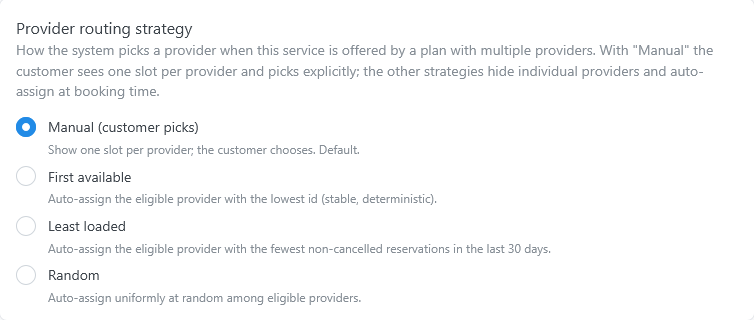
Open the service settings and select General.
| Setting | What it does | Default |
|---|---|---|
| Active | When off, the booking widget does not offer the service. Its reservations stay in Reservations. | On |
| Name | The name customers see. | Set when you create the service |
| Short description | A short text that describes the service. | Empty |
| Id | The identifier of the service, for shortcodes and the API. It cannot be changed. | Created with the service |
| Description | A longer text, shown at the top of the list of times. HTML is not allowed. | Empty |
| Color | The color that marks the service in the WordPress admin, for example in the slots preview. | A random color |
| Picture | The image of the service. | None |
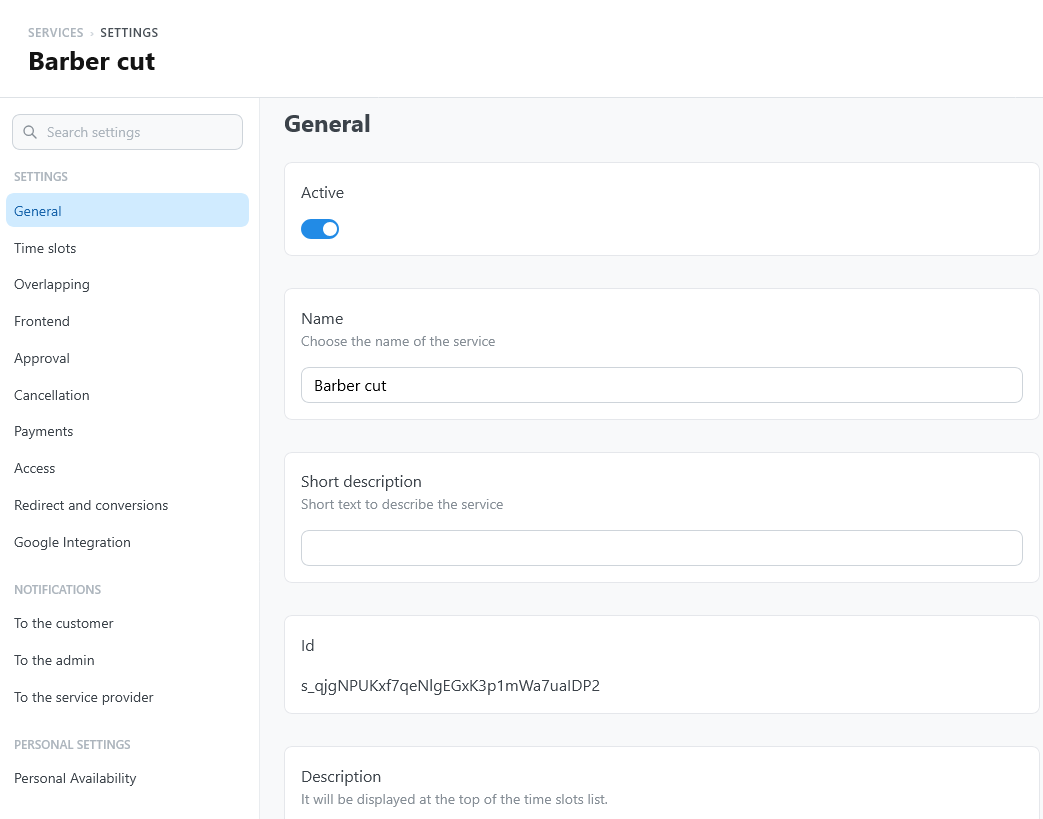
| Location | No location, Fixed, or Inherited from the booking form Address field. See Location. | No location |
| Assigned location | The saved location, with Fixed. | None |
| Location visibility | When off, customers do not see the location. It stays in the admin and in emails. | On |
| Show map | Offers a map of the location in the details step. | On |
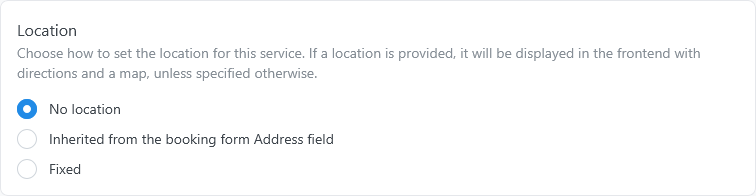
The Zoom settings of the service appear when the Zoom integration is on:
| Setting | What it does | Default |
|---|---|---|
| Create Zoom meetings for this service | Creates a Zoom meeting for each confirmed reservation of the service. | Off |
Identity
The name and descriptions are visible to customers. Keep them clear and specific, especially when several services appear in the same calendar.
When internal translations are enabled, customer-facing service text can be translated from the translation panels.
Location
A service can:
- have no location;
- use a saved fixed location;
- collect the location from an address field in the booking form.
See Locations to save places and choose among the three options.
Customers see the location in the booking widget, on the confirmation screen, and in My bookings. When the Google Maps integration is enabled, a Directions link next to it opens the route in Google Maps. To keep the location only for internal use, for example in email templates, hide it with Location visibility.
With Show map on, the details step of the widget also offers a map of the location. For privacy, the map loads from Google Maps only after the customer presses Show map. See Google Maps.
Online meetings
For a service that takes place online, turn on Create Zoom meetings for this service, or create Google Meet links. Google Meet links come with the Google Calendar events of the reservations: set them in the Google integration settings of the service.
Provider assignment
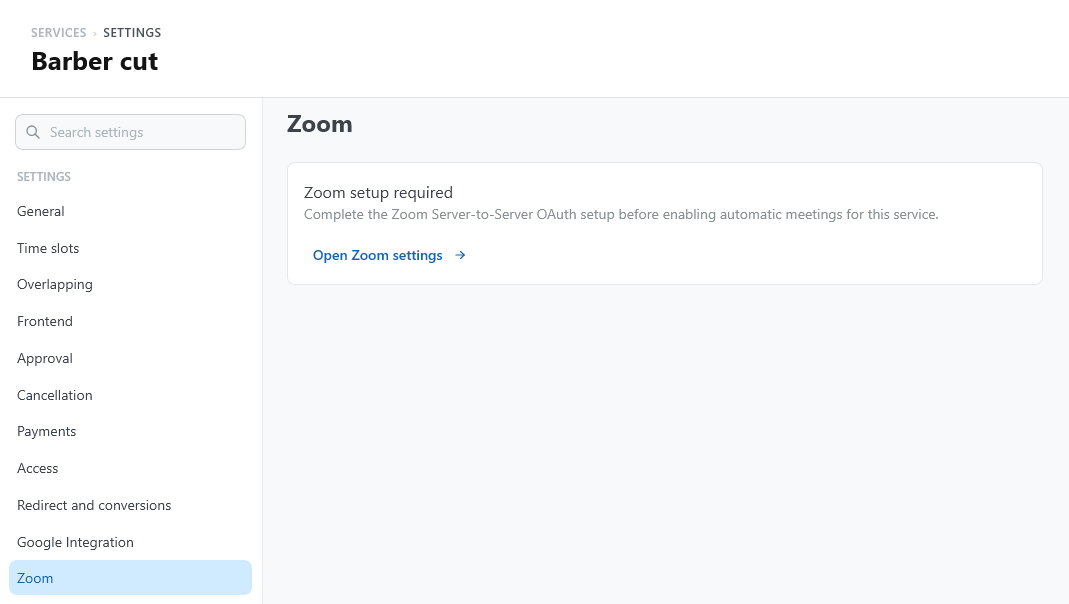
When providers are enabled, Provider routing strategy in the service Time slots settings decides how TheBooking assigns the appointment:
- Manual (customer picks): customers choose the provider. This is the default.
- First available: TheBooking assigns the first eligible provider.
- Least loaded: TheBooking assigns the eligible provider with fewer recent bookings.
- Random: TheBooking chooses one eligible provider at random.
Automatic assignment shows customers one team slot instead of separate slots for each provider.
With Manual (customer picks), turn on Offer "Soonest available" to add an entry at the top of the provider list. It shows which provider has the nearest free time, and when. A customer who chooses it books that provider and sees the name before confirming. See Assigning appointments to providers.